Case study
Canada Online Tutoring
UX Design · Website
A website redesign for a Canadian tutoring service, so families can tell the programs apart and see how to start. View current site
UX Designer · 2026 · Website redesign · Web
Tools·Figma
Case study
UX Design · Website
A website redesign for a Canadian tutoring service, so families can tell the programs apart and see how to start. View current site
UX Designer · 2026 · Website redesign · Web
Tools·Figma

Canada Online Tutoring supports learners from early childhood through university, plus career skills and English. The current site introduces those offers as sections on one page. The redesign turns them into six programs, each with its own page, a shared way to browse subjects, and the same path from “this is who it’s for” to booking a consultation.
The consultation was a gate. Pricing, weekly hours, and tutor availability were not on the page. Robin Cheng said “Book a free consultation” felt like a personal-injury site, and that he might leave.
Subject cards didn’t go anywhere. Allison’s mom tried to open Mathematics, hit a dead end, and rated finding a math tutor 4–5 out of 5 in difficulty. The hero buttons also disappeared into the photo.
Programs and Subjects overlapped. Rita expected parents to start with a subject. The age-based program pages had little on them, and it was unclear when to use Programs, Subjects, or Events.
Make the programs easy to tell apart, put price and tutor details on the page before a booking, and give every subject a next step.
I interviewed three people on the live site — Robin Cheng, Allison’s mom, and Rita — and affinity-mapped the sessions. Five themes kept returning: the consultation gate, dead-end navigation, a confusing menu, trust, and how families actually search.
Three sessions. Each person tried to find a tutor, a subject, and a price before deciding whether to book.
Quotes grouped into five themes, from the booking gate to school referrals, word of mouth, and local search.
Finding a math tutor, opening a subject card, and reaching a filter or a booking. The Mathematics card was the clearest break.
interviews on the live site
themes from affinity mapping
personas guiding the redesign
26–28 · Self-serve researcher
“Missing basics before a consultation: cost, how many hours a week, and tutor availability.”
60 · Parent looking for a tutor now
“I tried to click on the Mathematics box but it didn’t lead anywhere.”
Four areas came out of the interviews. The program pages take on the sparse, overlapping program content. Pricing, working subject cards, and tutor filters are the rest of what those sessions asked for.
Show a starting rate or range on Early Childhood, K–8, high school, university, and career pages, with an email list or a short inquiry beside the consultation.
Subject and course cards need a destination. Label the course-code and grade filter so it is obvious that it opens the directory.
Programs, Subjects, and Events were easy to confuse. Age-based programs need enough on the page to stand apart from the subject list.
Filter by subject, gender, schedule, and credentials. Keep real photos and degrees, and replace a wall of five-star reviews with proof from a source people already trust.
The age-based program pages had little on them, while parents started with subjects. The menu is the map: each program opens a page with the same sequence, written for that learner.
The current high school page, before the redesign. Each new program page uses the same structure — audience, subjects, process, community, and a booking close — with navy and red carrying the brand.
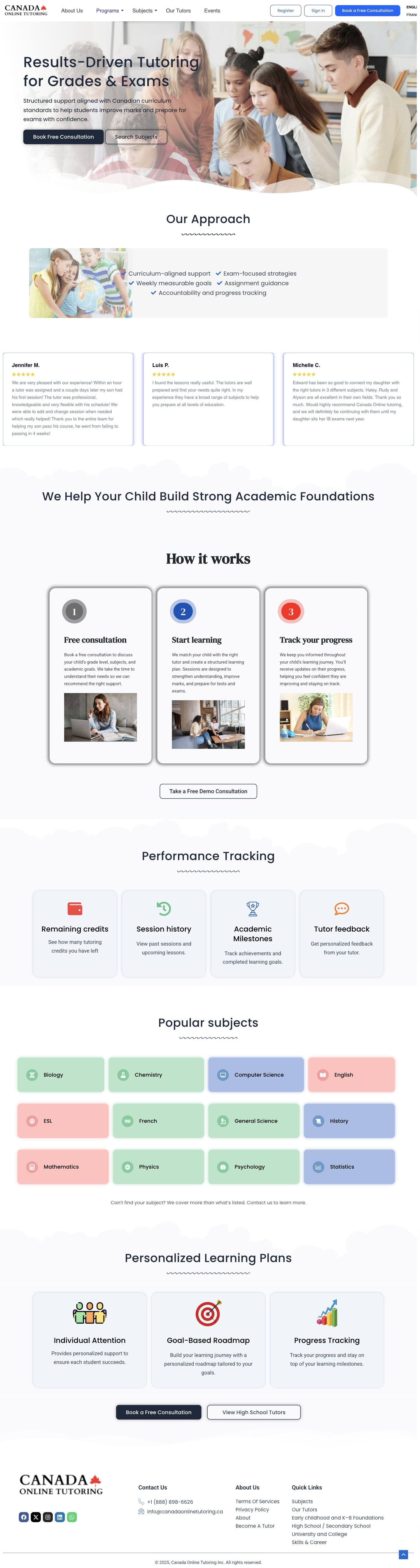
Homepage explorations
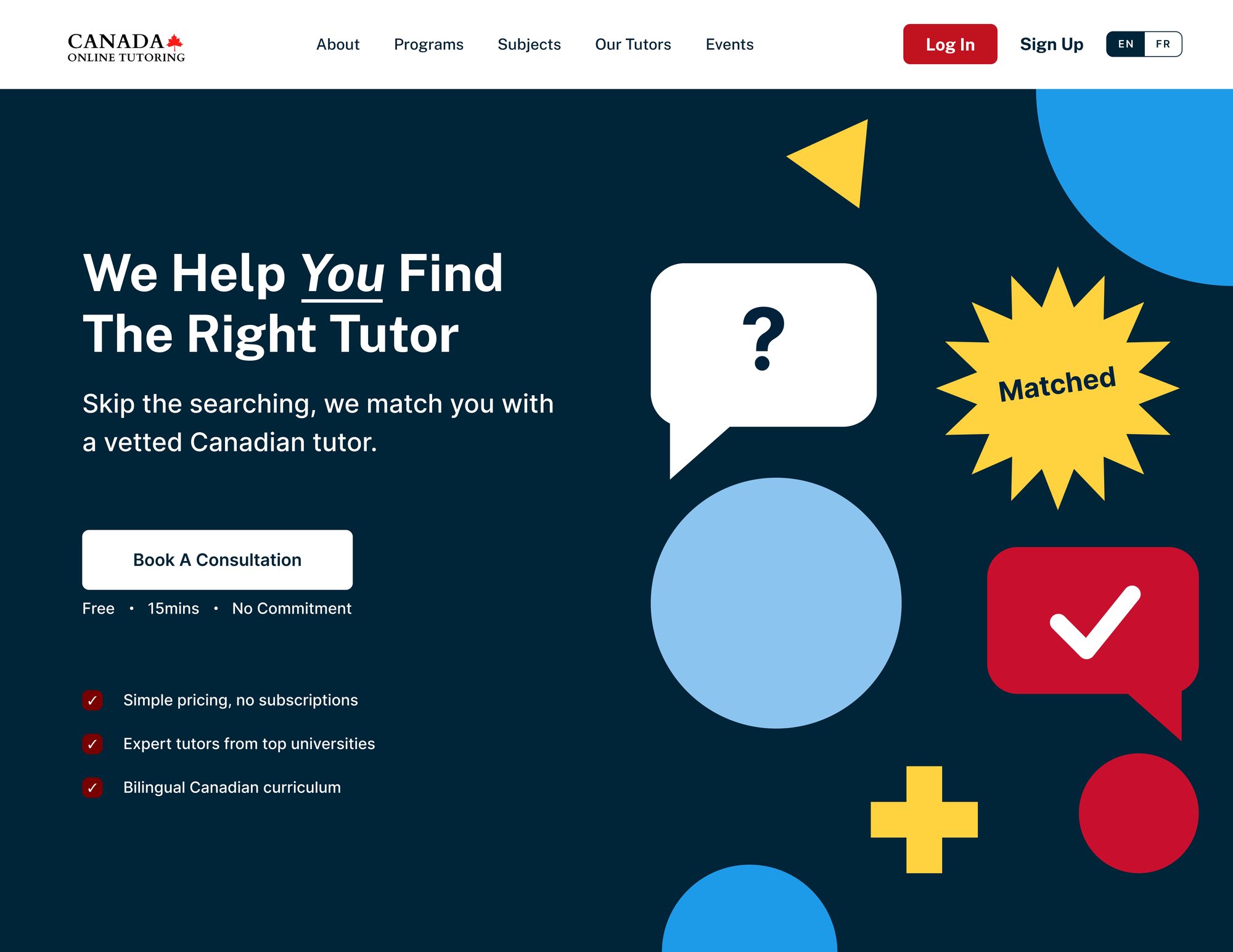

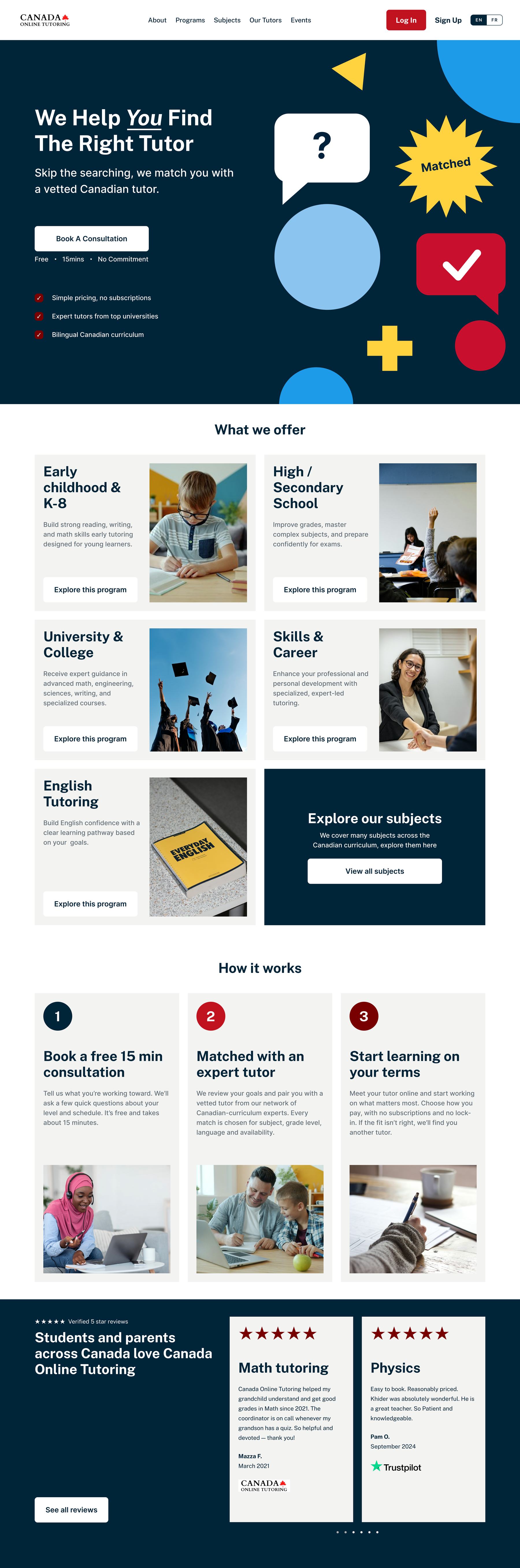
Program pages
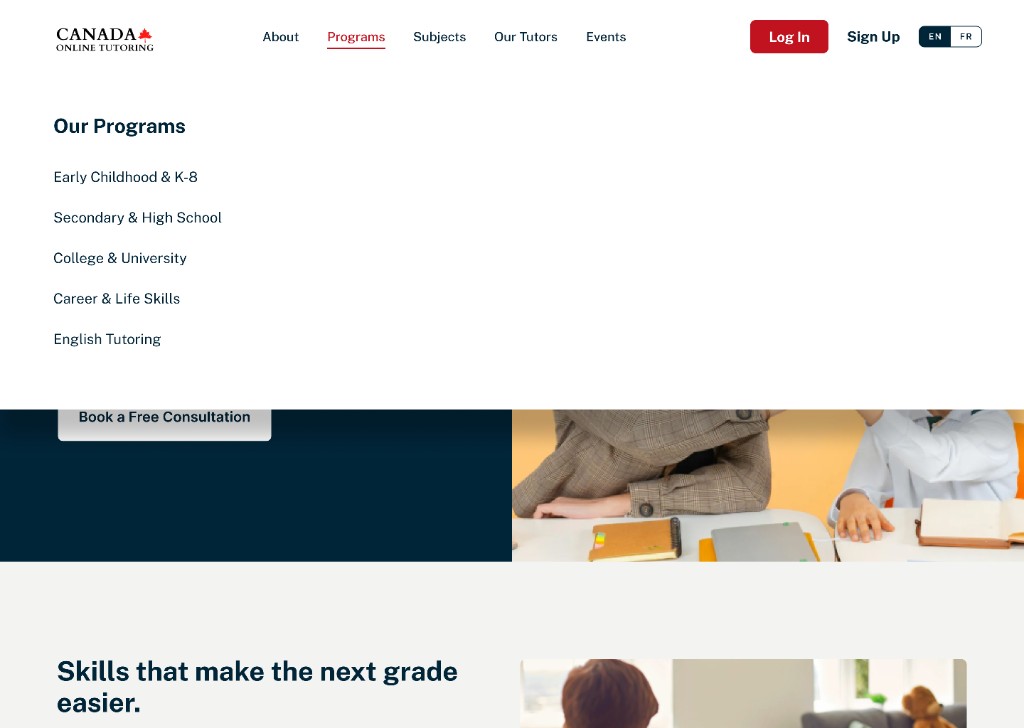
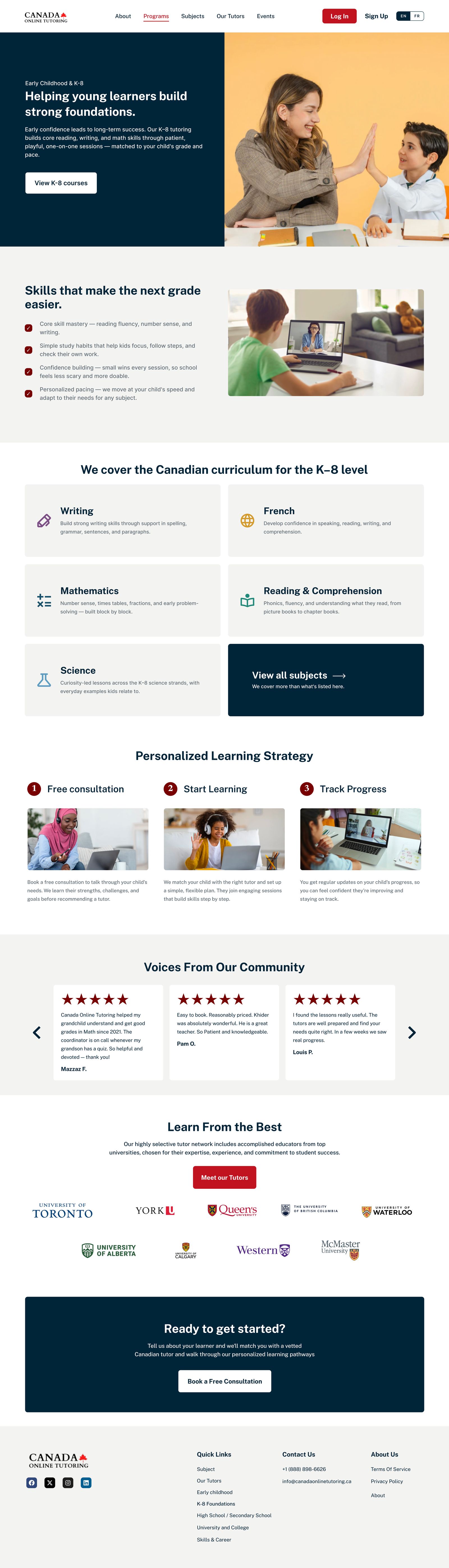
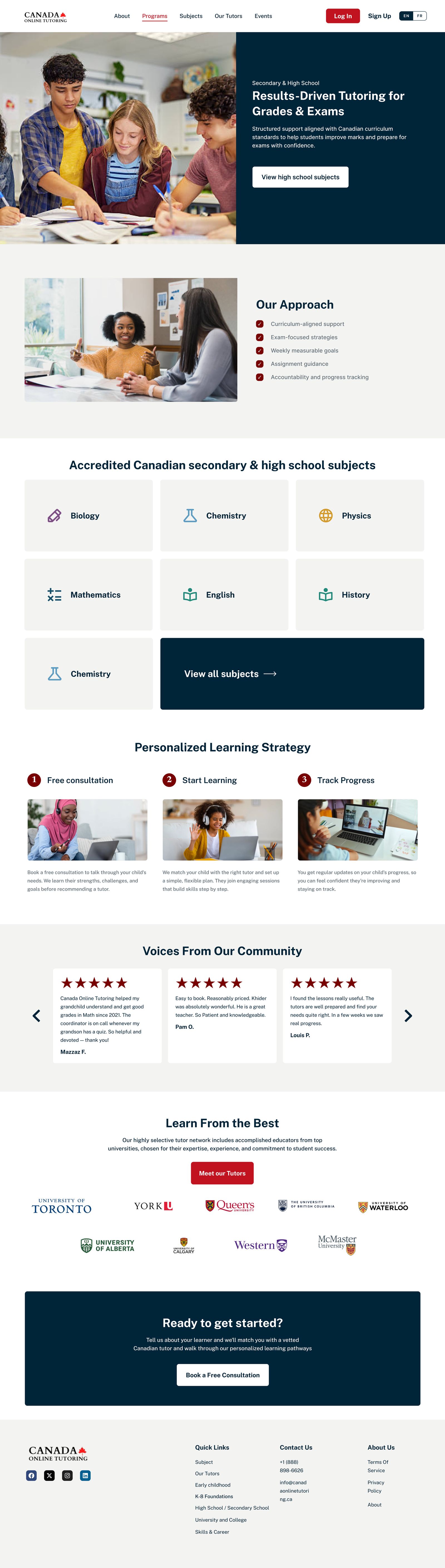
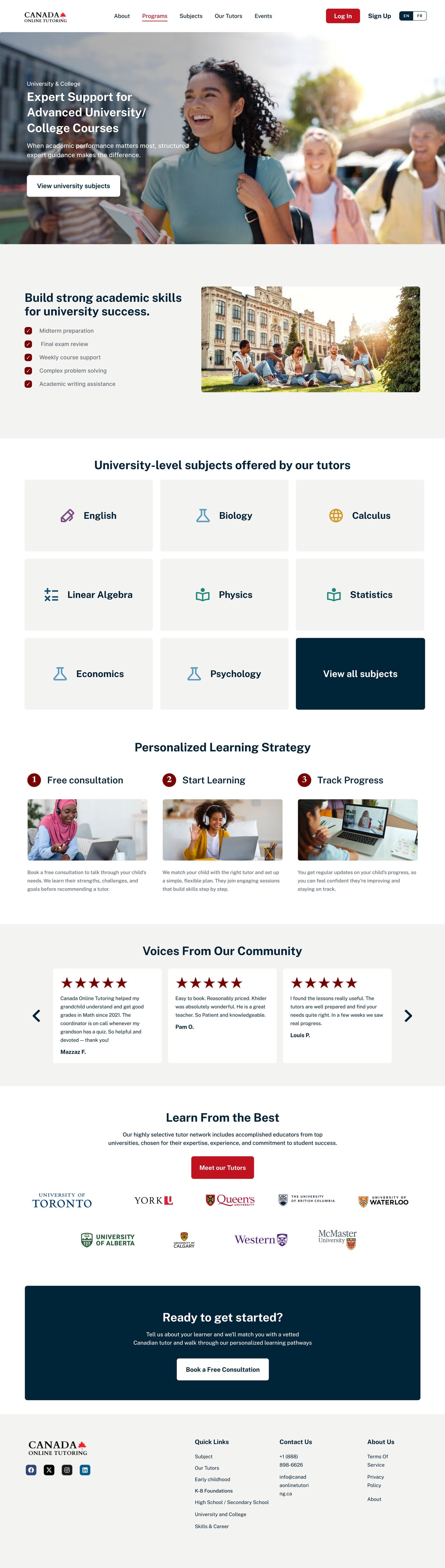
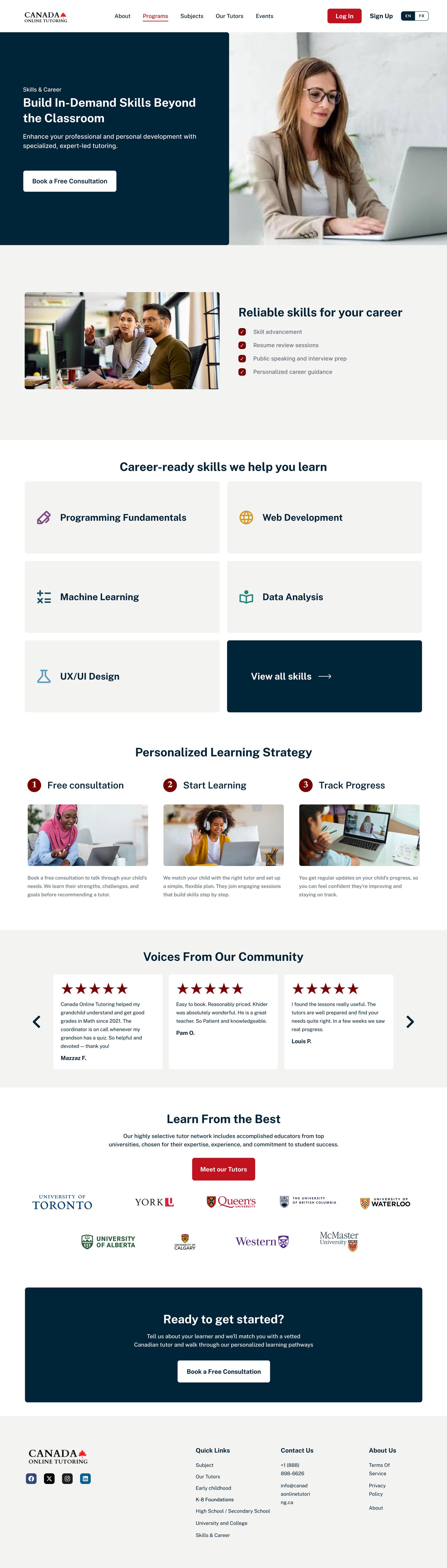
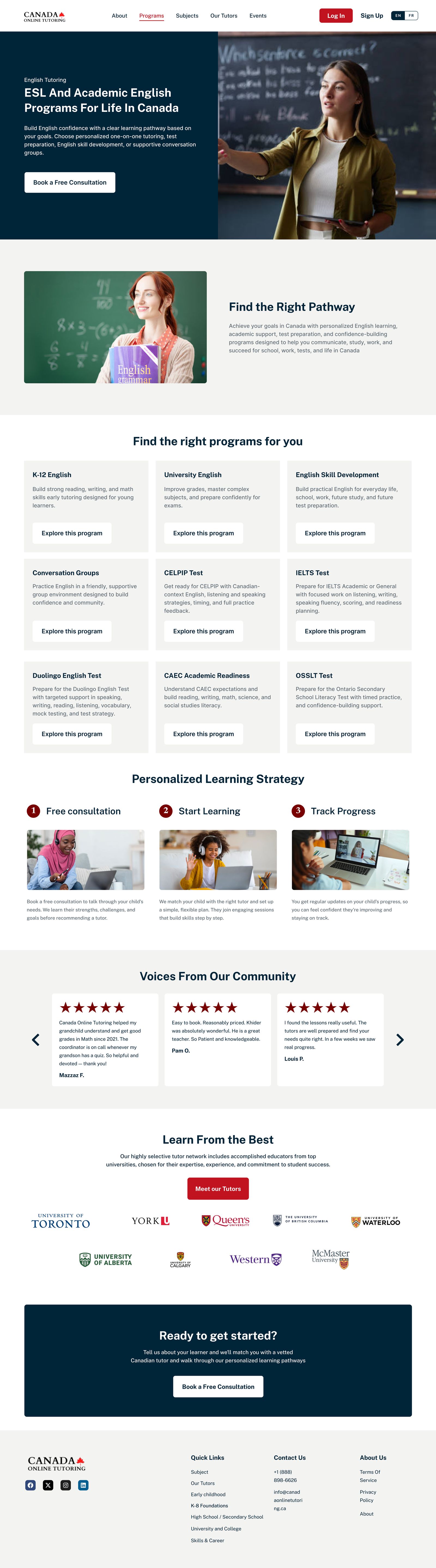
The useful constraint was repetition. Once every program shared a page, the differences could live in the audience, the subjects, and the words — not in a new layout each time.
Next